Description
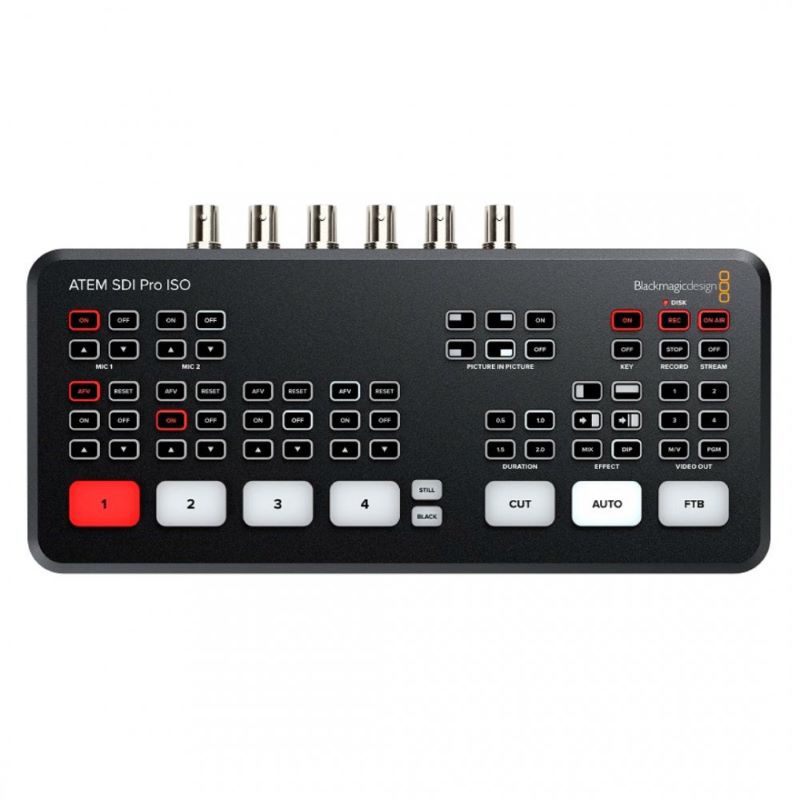
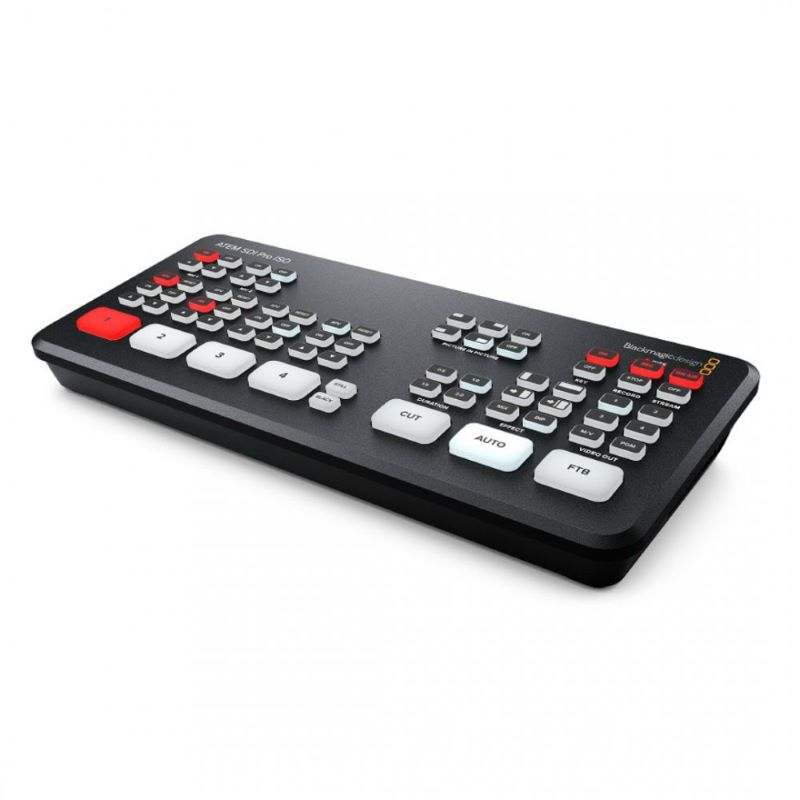
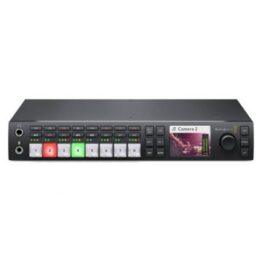
There’s never been a switcher that’s easier to use, as you simply press any of the input buttons labelled by number on the front panel to cut between video sources. You can choose between cut or effects transitions by selecting the cut or auto buttons. Unlike cut, the auto button tells ATEM SDI to use a video effect when switching inputs.
You can select from exciting transitions such as dissolve, or more dramatic effects such as dip to color, DVE squeeze and DVE push. Add a DVE effect for picture in picture effects with customized picture positions and background.
There are even “media players” which are a still store for titles and graphics that you can load via external software control.
This model includes the features of ATEM SDI plus it adds built in streaming and recording to 5 video streams in real time! That’s a clean feed of all inputs for multi‑cam editing! A DaVinci Resolve project is saved so you can open your live production to edit, remix audio and add color correction!
Specifications
Connections
| Total Video Inputs |
4 |
| Total Outputs |
3 |
| Total Aux Outputs |
2 |
| Total Audio Inputs |
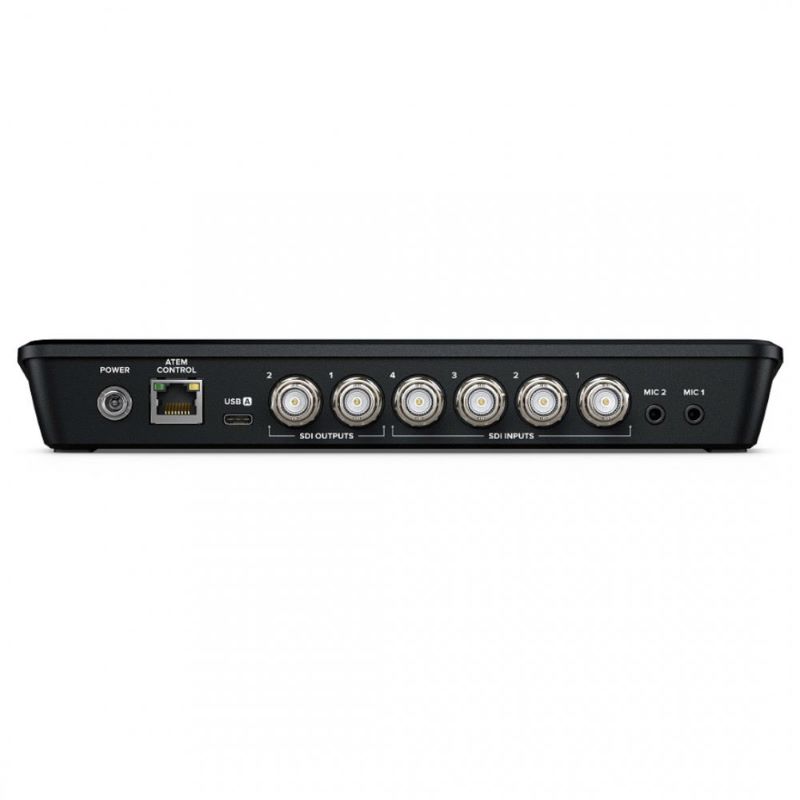
2 x 3.5mm stereo mini jack. |
| Total Audio Outputs |
None, embedded audio only. |
| Timecode Connection |
None |
| SDI Video Inputs |
4 x 3G-SDI, 10-bit HD switchable. |
|
2 channel embedded audio. |
| Video Input Re-Sync |
On all 4 SDI inputs. |
| Frame Rate and Format Converters |
On all 4 SDI inputs. |
| SDI Program Outputs |
2 |
| Ethernet |
Ethernet supports 10/100/1000 BaseT for live streaming, software control, software updates and direct or network panel connection. |
| Computer Interface |
1 x USB Type-C 3.1 Gen 1 for external drive recording, webcam out, software control, software updates and panel connection. |
Standards
| HD Video Input Standards |
720p50, 720p59.94, 720p60 |
|
1080p23.98, 1080p24, 1080p25, 1080p29.97, 1080p30, 1080p50, 1080p59.94, 1080p60 |
|
1080i50, 1080i59.94, 1080i60 |
| HD Video Output Standards |
1080p23.98, 1080p24, 1080p25, 1080p29.97, 1080p30, 1080p50, 1080p59.94, 1080p60 |
| Video Streaming Standards |
1080p23.98, 1080p24, 1080p25, 1080p29.97, 1080p30, 1080p50, 1080p59.94, 1080p60 |
| Ultra HD Video Standards |
None |
| Video Sampling |
4:2:2 YUV |
| Colour Precision |
10-bit |
| Colour Space |
Rec 709 |
| Colourspace Conversion |
Hardware based real time. |
Product Specifics
| Upstream Keyers |
1 |
| Downstream Keyers |
1 |
| Advanced Chroma Keyers |
1 |
| Linear/Luma Keyers |
2 |
| Transition Keyer |
DVE only. |
| Total Number of Layers |
5 |
| Pattern Generators |
1 |
| Colour Generators |
2 |
| DVE With Borders and Drop Shadow |
1 |
| Interface |
Minimum monitor resolution of 1366 x 768. |
Audio
| Audio Mixer |
6 input x 2 channel mixer. |
|
Selectable On/Off/Audio-Follow-Video per channel plus separate gain control per channel. |
|
Level and Peak metering. Plus new Fairlight audio enhancements: Compressor, Gate, Limiter, 6 bands of parametric EQ. Master gain control. |
| Analog Input |
Unbalanced stereo |
| Analog Input Delay |
Up to 8 frames |
| Input Impedance |
1.8k |
| Max Input Level |
+6dBV |
| Mic Plug In Power |
Available on both 3.5mm mini jack connections. |
Streaming
| Direct Streaming |
ATEM SDI Pro ISO supports direct live streaming using Real Time Messaging Protocol (RTMP) over ethernet or a shared mobile internet connection over USB‑C. |
Recording
| Direct Recording Video and Audio |
USB-C 3.1 Gen 1 expansion port can record directly to external media. |
| Video Recording |
4 x SDI ISO inputs as H.264 .mp4 files at up to 70Mb/s quality at the ATEM video standard with AAC audio. |
|
1 x Program out as H.264 .mp4 file at the Streaming quality setting and at the ATEM video standard with AAC audio. |
| Audio Recording |
6 x 2 channel audio inputs recorded as separate 24‑bit 48KHz .wav files. Including 2 x analog stereo audio inputs and 4 x SDI 2 channel embedded audio inputs. |
| Switching |
Program switching recorded as a DaVinci Resolve project .drp file. |
| Media Format |
Supports media formatted ExFAT (Windows/Mac) or HFS+ (Mac) file system. |
Multi View Monitoring
| Multi View Monitoring |
1 x 10 Views including left right configurable Program/Preview, 4 SDI inputs, Media Player, Streaming Status, Recording |
| Status and Audio Meters. |
|
| Multi View Video Standard |
HD |
Media Player
| Media Players |
1 |
| Channels |
Fill and key for each Media Player. |
| Media Pool Still Image Capacity |
20 with fill and key. |
| Media Pool Still Image Format |
PNG, TGA, BMP, GIF, JPEG and TIFF. |
Control
| Control Panel |
Built in control panel. Software control panel with camera control included. Supports optional hardware panel. |
| Control Panel Connection |
Ethernet supports 10/100/1000 BaseT. Ethernet used for direct connection between panel and chassis or via network. ATEM SDI Pro ISO also supports direct USB‑C connection. Ethernet or USB‑C used for updating the software. |
| Control Panel Compatibility |
Includes ATEM Software Control Panel. Also compatible with ATEM 1 M/E Advanced Panel, ATEM 2 M/E Advanced Panel and ATEM 4 M/E Advanced Panel. ATEM SDI Pro ISO can be configured using Blackmagic Videohub Hardware Panel Setup utility to route sources to destinations using Videohub Smart Control Pro and Videohub Master Control Pro. |
| Control Panel Included |
ATEM Software Control Panel included free for Mac 11.0 Big Sur, Mac 12.0 Monterey or later and Windows 10 64 bit or Windows 11. |
Software
| Software Updates |
Using USB or Ethernet connection directly connected to Mac OS X or Windows computers. Includes ATEM Switcher Utility. |
| Configuration |
Set via ATEM Software Control Panel, excluding ATEM chassis IP address which is set via the ATEM Switcher Utility connected via |
| USB to chassis. |
|
| Operating Systems |
Mac 11.0 Big Sur, |
|
Mac 12.0 Monterey or later. |
|
Windows 10, 64-bit. |
|
Windows 11. |
Power Requirements
| Power Supply |
1 x External 12V power supply. |
| Power Usage |
36W |
Physical Specifications
L 237.5 x W 118.8 mm x H 35 mm
Environmental Specifications
| Operating Temperature |
5° C to 40° C (41° – 104° F) |
| Storage Temperature |
-10° to 60° C (14° to 140° F) |
| Relative Humidity |
0% to 90% non-condensing |
Warranty
12 Months Limited Manufacturer’s Warranty.